
Vision that talks to your PLCs, robots and plant software
An inspection is only valuable if its decision reaches the right place in time. Opales handles the communication with your PLCs, your robots and your MES, and designs the electrics and safety of the machines it delivers.
The PLCs and systems we connect
A rare skill for a vision integrator: we write the data exchanges ourselves, on both the vision side and the PLC side.
Siemens S7 and PROFINET
Data exchange with S7 PLCs; VisiOpal can also appear to the PLC as a PROFINET device, with its description file (GSD).
Allen-Bradley EtherNet/IP
Communication with Rockwell PLCs, including replacing an existing camera without touching the PLC program.
Schneider, Télémécanique and Modbus TCP
Modbus TCP exchanges with Schneider and Télémécanique PLCs and all equipment that speaks this protocol.
Robots
Part identification, guidance for picking and placing, with a camera mounted on the robot or fixed.
Axes, lasers, lighting
Control of motorised axes, laser projectors and lighting, synchronised with image capture.
Databases and MES
Results and images archived in an SQL database, spreadsheet and PDF exports, link with your MES.
Automation expertise born at Siemens
Opales was a vision integrator for Siemens France. That is where our automation know-how began: we created the standard communication blocks for the Simatic VS710 vision systems over PROFIBUS DP.
- PROFIBUS DP: the standard communication blocks for the Simatic VS710, written on both the PLC side and the vision side.
- PROFINET and EtherNet/IP: this foundation allowed us to develop our own communications, up to VisiOpal emulating a camera for retrofit.
- Several PLC worlds: we develop for Siemens, Allen-Bradley and Télémécanique.
- Operator panels: we also program Pro-face terminals.
Interfaces to run multi-camera lines
We develop supervision interfaces in VB6, Delphi and C# for lines equipped with several cameras: smart cameras, DataMan code readers and PC-based vision.
Camera clusters
The cameras on a line are configured in clusters, in a single interface, whatever their type.
Clear results
The results of each camera are retrieved and presented clearly, station by station.
Databases
Results are recorded in a database for traceability and analysis.
Production reports
Production reports are generated from the recorded results.
Categorised defect images
Images of defective parts are recorded and sorted by defect category.
Connected to the PLCs
The interface communicates with the line's PLC, like the cameras it supervises.
An exchange defined before manufacturing, tested before delivery
- Exchange plan written with your automation engineer: signals, results, addresses, response times.
- Workshop tests with a PLC or a simulator, before shipping to you.
- Commissioning on the line with your teams, at real speed.
- Retrofit: emulation of the old camera, the PLC program does not change.
Complete machines, not just cameras
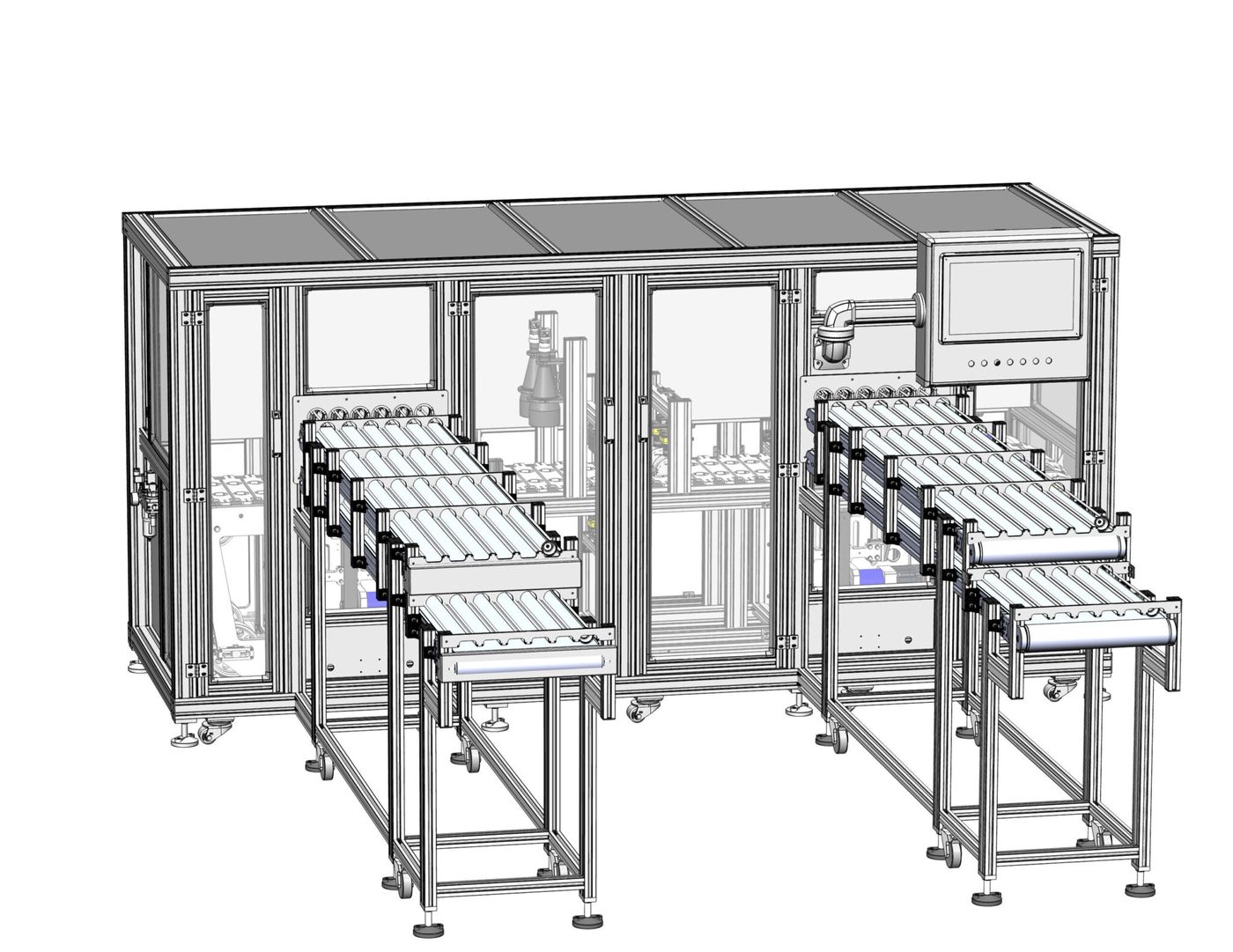
Conveying, part presentation, lighting, vision, rejection by defect type, operator interface and archiving: designed, wired and programmed at Opales.
- Electrics and machine safety: control cabinets, wiring, guarding.
- Rejection by defect type, with the image of every reject archived.
- Recipes: one recipe per product reference, selected by the operator or the PLC.
- Example: coffee capsule inspection at 20 parts per second, more than 200 recipes.
An inspection decision to send to your PLC?
Describe your line, your PLCs and what they must receive: we will propose the data exchange and how to integrate it.
